Limiter Plugins for Beginners in 2026: What to Choose
Learn the job of a limiter before deciding whether a separate mastering plugin is worth buying.
The Short Answer
Start with the limiter in your DAW. Try LoudMax for a simple free dedicated option; consider FabFilter Pro-L 2 if you need more detailed loudness and true-peak controls.
Compare the Options
Swipe to see the full comparison →
| Option | Best For | What to Know |
|---|---|---|
| Your DAW’s Limiter | Best Starting Point | Available metering, true-peak options and controls differ by DAW and edition. |
| LoudMax | Best Free Dedicated Limiter | It offers a more focused set of controls and meters than a larger mastering tool. Check the available format for your system. |
| FabFilter Pro-L 2 | Best for Detailed Metering | It is a paid specialist tool. A limiter does not automatically master a mix, and aggressive settings can damage dynamics. |
| Waves L2 Ultramaximizer | Straightforward Paid Limiting | It is paid and has a different feature set from Pro-L 2. Check Waves licensing and current compatibility before buying. |
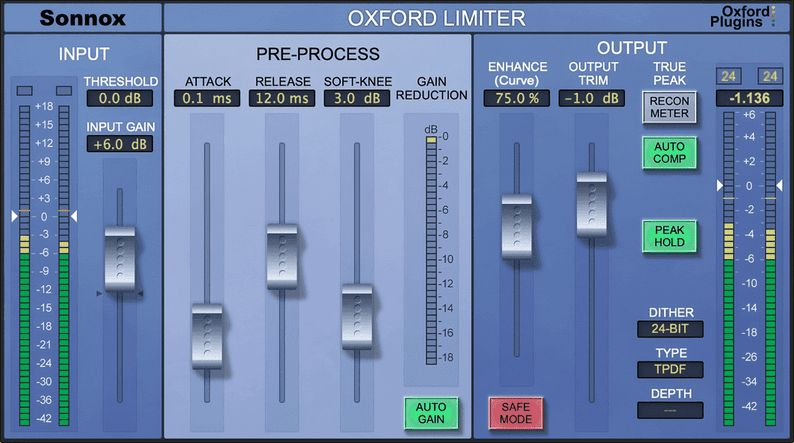
| Sonnox Oxford Limiter Native | Mastering With Enhance | It is paid and more specialised than a basic stock limiter. Confirm the Native edition and licence terms before buying. |
| Voxengo Elephant | Detailed Limiter Modes | Its range of settings can be more than a beginner needs. Try the demo and compare it with the limiter you already own. |
Our Picks
Your DAW’s Limiter
A built-in limiter lets you practise controlling peaks and compare output levels without another purchase. Start with modest gain reduction and listen for changes to transients.
Keep in mind: Available metering, true-peak options and controls differ by DAW and edition.
LoudMax
LoudMax has threshold and output controls, meters and an optional inter-sample peak mode. It is a practical free starting point if you want a separate limiter without a large control panel.
Keep in mind: It offers a more focused set of controls and meters than a larger mastering tool. Check the available format for your system.
FabFilter Pro-L 2
Pro-L 2 combines limiting with loudness and true-peak metering, and optional true-peak limiting. Choose it if those controls matter in your workflow.
Keep in mind: It is a paid specialist tool. A limiter does not automatically master a mix, and aggressive settings can damage dynamics.
Waves L2 Ultramaximizer
L2 is a look-ahead peak limiter with threshold and output controls. It is an option if you prefer a focused paid limiter rather than a large mastering interface.
Keep in mind: It is paid and has a different feature set from Pro-L 2. Check Waves licensing and current compatibility before buying.
Sonnox Oxford Limiter Native
Oxford Limiter combines limiting with an Enhance control and inter-sample peak detection and correction. Consider it when those features suit your mastering workflow.
Keep in mind: It is paid and more specialised than a basic stock limiter. Confirm the Native edition and licence terms before buying.
Voxengo Elephant
Elephant provides multiple limiter modes and metering, with true-peak limiting options. It is worth comparing if you want detailed control over final limiting.
Keep in mind: Its range of settings can be more than a beginner needs. Try the demo and compare it with the limiter you already own.
Which Limiter Should You Choose?
For controlling peaks while you learn, start with your DAW’s limiter. LoudMax is a free alternative with a focused set of controls if you want a separate plugin.
Consider Pro-L 2 when you need more detailed metering, limiting styles or true-peak controls. Check what your DAW already provides first: buying a limiter alone will not master a mix.
L2 offers a more focused paid workflow, while Oxford Limiter and Elephant offer different mastering controls. Compare the demos and current prices before paying for features your stock limiter may already provide.
Related Plugins on Sale
Current deals, ranked by deal rating. These are separate from our recommendations above.